
 GSplit
Split Any File
Split files of any type and any size into smaller, manageable pieces. No file size limit.
GSplit is a free, powerful file splitter for Windows. Break any file into smaller pieces for easy sharing, email attachments, or removable media storage.
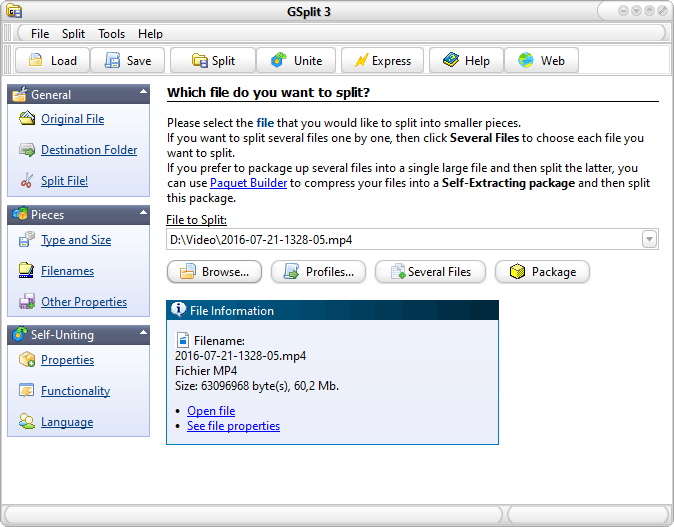
GSplit is a free file splitter for Windows. It cuts a large file, such as a compressed archive, a backup, a disk image, a video or a text or log file, into a set of smaller files called pieces, and it puts them back together with GUnite or with a Self-Uniting program that needs no software on the other side.
GSplit splits files larger than 4 GB, checks every restored file with size, offset and CRC32 controls, and runs from a graphical interface or the command line. It is freeware: no ads, no registration, no limits, even for commercial use.
A reliable file splitting solution trusted by users worldwide.
Explore all 18 featuresSplit files of any type and any size into smaller, manageable pieces. No file size limit.
Split by file size, by number of pieces, or use custom split sizes for each piece.
Create self-uniting archives that recipients can restore without installing any software.
Automate file splitting tasks with full command-line support and batch processing.
GSplit is completely free for personal and commercial use. No ads, no limitations.
Use GUnite or self-uniting executables to restore original files from split pieces.
Independent recognition for GSplit.

Split and share large files easily with GSplit, a review by MakeUseOf.
Read the MakeUseOf review

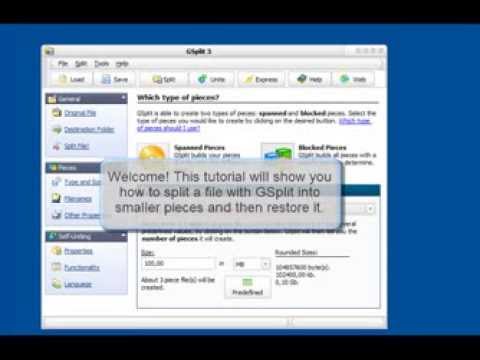
Splitting and restoring files is simple with GSplit.
Choose any file you want to split, regardless of type or size.
Set piece sizes, output folder, and choose between standard or self-uniting pieces.
Click split and share the pieces via email, USB drives, or cloud storage.
The complete feature set, each entry with its page in the documentation.
Browse the documentationBy piece size, by number of pieces, disk-spanned (sizes computed from the free space and written straight to removable disks, with extra space reserved if you want) or by lines and patterns. GSplit suggests settings as soon as you pick a file.
Any file type and any size, from a few KB to multi-gigabyte archives, backups, disk images and videos.
Split by number of lines or by occurrences of a pattern, and repeat a header in each piece so that every part stays a valid text file.
Name the pieces with a mask of your own; GSplit does not depend on numbered extensions such as .001.
Split multiple files back-to-back in a single operation.
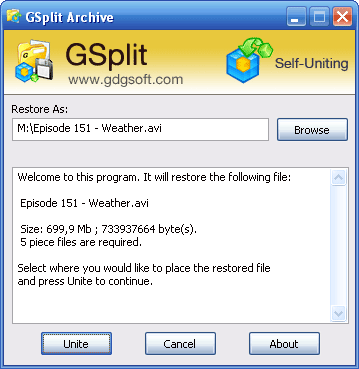
A stand-alone Windows program of about 70 KB rebuilds the original file: the recipient needs no software. Customize its messages, icon and version information, run the restored file, work in the background or pick the destination folder.
Size, offset and CRC32 verified on every piece; a corrupted piece is named, so you fetch only that one again.
Dates and attributes travel with the pieces and are restored, unlike batch-file splitting.
The stand-alone uniting tool, 285 KB, for pieces created without a Self-Uniting program.
Silent options and exit codes to run GSplit from scripts, build environments or as a daemon.
Settings saved as XML profiles, lists of recent files, folders and profiles, so you never set the same options twice.
Drag a file onto GSplit, or right-click it and choose Split file with GSplit.
Elapsed and estimated times, and a separate splitting thread whose priority you can set.
Split large packages and compiled websites for distribution on several media.
GSplit, GUnite and the Self-Uniting programs speak your language through .gsl language files.
Change the look of GSplit with downloadable skin files.
Nothing to install and nothing written to the computer: run GSplit from a USB stick.
No ads, no nags, no registration; free to use and redistribute, even for commercial purposes.
Short answers, each with the documentation page that goes further.
Yes. GSplit is freeware with no advertisement, no registration and no restriction: you can install, use and distribute it free of charge, even for commercial purposes.
Read the licenseSelect the file and a destination folder, choose how the pieces are cut (a fixed size, a number of pieces, disk-spanned sizes or a number of lines) and click Split. GSplit proposes suitable settings as soon as the file is selected.
Splitting a file, step by stepRun the Self-Uniting program created next to the pieces, or open the first piece in GUnite, the free uniting tool shipped with GSplit. Both rebuild the original file and verify it.
Uniting filesYes. Create Self-Uniting pieces: GSplit adds a stand-alone Windows program of about 70 KB that rebuilds the original file on its own, with a real window, a progress log, and your own messages and icon if you wish.
Self-Uniting piecesYes. Split by number of lines or by occurrences of a pattern, and repeat a header at the top of each piece so that every part remains a valid text file.
Lines and patternsNo practical limit: GSplit splits files larger than 4 GB. Piece sizes can be given in bytes, KB, MB or GB, chosen from presets such as CD or DVD, or computed from the free space of a removable disk.
Piece types and sizesYes. GSplit takes command-line options, runs silently and returns exit codes, and keeps its settings in XML profiles that you can reuse or edit.
Command-line optionsGSplit 3 runs on Windows 11, 10, 8 and 7, 32-bit and 64-bit, and the same release still works on older versions such as Vista and XP.
System requirements