
 GConvert
 Enlarge image
 Which files contain icons?
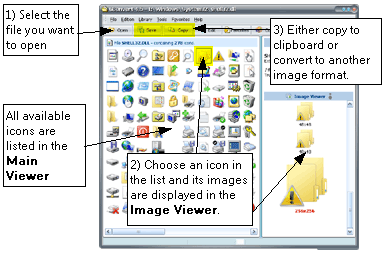
Any icon resource is supported: Windows executables (EXE), dynamic link libraries
(DLL), ActiveX controls (OCX), Control Panel applets (CPL), screen savers
(SCR), Delphi packages (BPL), icon libraries in 32-bit and 16-bit ICL format, Windows
icon files (ICO), cursors (CUR), Macintosh ICNS and resource fork
RSRC files, and ZIP archives.
GConvert reads icons directly from ZIP archives: an icon collection downloaded from the Internet can be opened and used without unzipping it first, and a ZIP archive can be turned into an ICL icon library in one command.
Every image of every icon
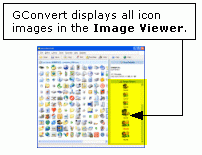
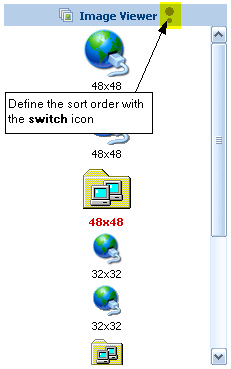
An icon is a set of images, and GConvert shows them all: any regular size (16×16, 24×24, 32×32, 48×48, 128×128, 256×256, 512×512) or custom size (32×34 for instance), and any color depth from monochrome to true color, including 32-bit images with an alpha channel. The images are sorted automatically, and selecting one displays its properties, its color palette and its associated bitmaps, the mask and the alpha channel included, which can be copied to the clipboard.
 Enlarge image
  Enlarge image
 Save or batch-export what you extracted
Click Save to export the selected icon to an ICO file, a BMP bitmap, a PNG or an Adobe Photoshop
PSD file, or to GIF and JPEG through plug-ins. Select two or more icons, or the whole library with
Ctrl+A, and the same Save button exports them all in one operation to the folder of your choice,
with an optional filter on the image sizes and color depths to export, a background color for formats without
transparency, and a filename mask such as {iconname}-{width}x{height}x{pixelformat}.
Extracted icons can also be copied to the Windows clipboard or dragged straight into another application, and the icons of a whole file can be exported to a web page as PNG images.