
 GConvert
 Enlarge image
 What is an icon library?
An icon library is a storage file for icons with the .icl extension, actually a 16-bit or 32-bit
DLL file holding only a resource section. Icon libraries are supported by all versions of Windows and opened by
every icon editor, and they keep a large collection in one file instead of thousands of single ICO files. All of
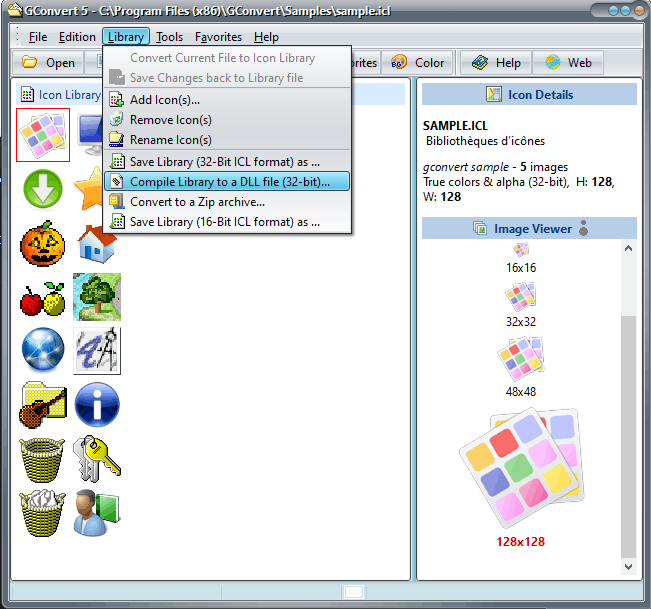
GConvert's library tools are in its Library menu.
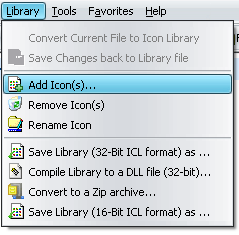
Create, add, rename and remove icons
Convert current file to icon library turns any open icon source file, an EXE, a DLL, an ICO, an
ICNS or RSRC file, into a new ICL library, or starts one from scratch with a single icon file. Then add icon files
or whole icon sources to it, drag icon files from Windows Explorer and drop them on GConvert, rename icons one by
one or in bulk with a %u index, remove the ones you select, and save the changes back to the library
or to a new 32-bit or 16-bit ICL file.
 Enlarge image
 Compile a 32-bit icon DLL
GConvert compiles true Win32 icon-only DLL files, similar to the MORICONS.DLL file in your Windows
system folder. Windows recognizes them, to change the icon of a folder for instance, and so do all icon
editors and extractors. Applications can load them with LoadLibrary and LoadIcon, and
any Win32 resource editor can open them.
ZIP archives both ways
ICL files are not compressed, so to share a library on the Internet, convert it directly to a ZIP archive: GConvert extracts every icon and compresses each one into the archive. The result opens in any ZIP tool, or better in GConvert, which reads icons directly from ZIP archives without unzipping them. The reverse works too: a ZIP archive of icons downloaded from the web can be resaved as an ICL library or compiled into a DLL file. The Icon Browser also exports the icons found in a folder straight to new ICL libraries.