
 GConvert
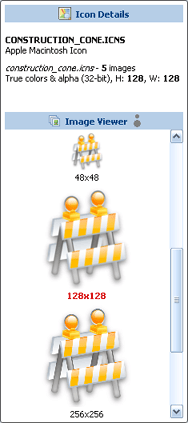 Enlarge image
 Which Macintosh icon formats are supported?
All standard Macintosh icon images, including the recent 32-bit ARGB formats with an 8-bit alpha channel:
| Type | Size | Color depth |
|---|---|---|
| Small | 16×16 | mono, 16, 256 and 32-bit |
| Large | 32×32 | mono, 16, 256 and 32-bit |
| Huge | 48×48 | mono, 16, 256 and 32-bit |
| Thumbnail (OS X) | 128×128 | 32-bit |
| Mac OS X 10.4 Tiger | 256×256 | 32-bit |
| Mac OS X Leopard | 512×512 | 32-bit |
The "mini" type has no Windows equivalent and is not handled. Macintosh icons are often distributed in StuffIt
(.sit) archives: unpack them with StuffIt Expander, then open the extracted .rsrc files
in GConvert.
A Macintosh icon works like a Windows icon
Once opened, every image of the Macintosh icon is listed in the Image Viewer with its size and color depth. You can save any of them as ICO, BMP, PNG or PSD, edit the icon, generate other sizes, drag an image into another application, or add the icon to an ICL library or a DLL file. The Icon Browser has a filter for Macintosh icon files only, to scan a folder of them, and the Import Picture tool accepts ICNS and RSRC files as sources for new icons.
Convert from Mac to Windows, not the other way
Open Macintosh ICNS files and convert them to Windows icons or images. ICNS export is not available in the current version.
Modified Macintosh icons are saved as Windows icon files (.ico), which keep the sizes and the alpha
channel of the original images.